Your license keys.
Delivered after payment.
Import your license keys and access codes. KeyHarbor assigns them to eligible paid orders and emails buyers a private collection link — with resends, replacements and refund access controls in one place.
14-day free trial · USD 10/month or USD 96/year · Billed through Shopify
Already installed? Open Shopify admin → Apps → KeyHarbor.
Three steps to your first delivery
Import your codes
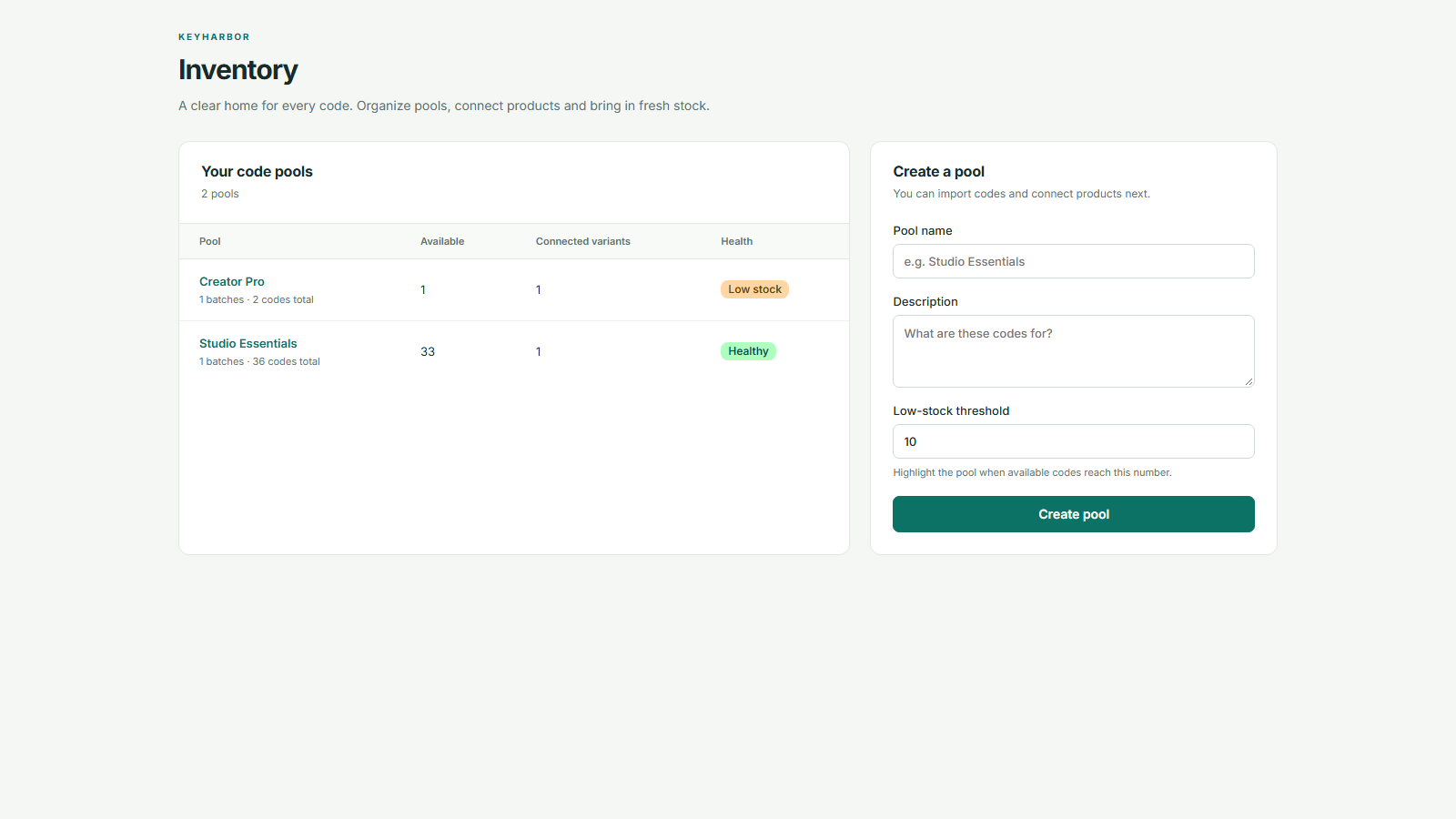
Create an inventory pool and paste your unique codes in a batch. Keep track of available stock and low-stock alerts.
Connect your products
Link a Shopify product variant to its code pool. KeyHarbor uses the purchased quantity when assigning codes.
Deliver after checks
Once payment and delivery checks pass, buyers receive a link to reveal and copy their codes. Review holds stay visible in the app.
Know what is available.
Know what was delivered.
Organize batches, connect product variants and see which pools need replenishing before a delivery waits for stock.
Private collection links
Send buyers a link to their assigned codes. Keep the codes themselves out of delivery emails.
Resends without extra stock
Help buyers retrieve the same assigned codes without consuming another code from the pool.
Individual code replacement
Assign a spare code when a buyer needs a replacement, with the previous assignment retained in the delivery history.
Access controls after refunds
Remove access to affected codes after Shopify refunds or cancellations. Quarantined codes stay out of available stock.
Everything you need
to deliver your codes.
Unlimited digital orders, bulk code import, private collection links, email resends, individual replacements and refund access controls.
Standard
USD 10 / month
Or USD 96 billed once per year.
14-day free trial. Charges are in USD and billed through Shopify. Review final billing terms when you select your plan.
Start with KeyHarborQuestions, answered.
What does KeyHarbor deliver?
KeyHarbor delivers unique, merchant-supplied license keys, access codes and redemption codes for Shopify orders. You import the codes and connect their inventory pool to a product variant. Buyers receive an email linking to a private page where they can reveal and copy their assigned codes.
When are codes sent to buyers?
Codes are allocated after payment when the order passes delivery checks, code stock is available and the store has an eligible subscription. Orders that need risk review or more stock are held for the merchant to resolve in the app.
Does KeyHarbor generate license keys or host downloadable files?
No. You supply the codes and any redemption instructions. KeyHarbor does not generate licenses, host downloadable files, verify activation or deactivate licenses in third-party software.
Will resending an email use another code?
No. Resending gives the buyer access to the same assigned codes. A replacement is a separate merchant action: it assigns a spare code and removes the previous code from the collection page.
What happens when an order is refunded?
KeyHarbor processes Shopify refund and cancellation events to remove access to affected codes and quarantine them instead of returning them to available stock. It does not initiate payment refunds or invalidate a code already copied or redeemed with its issuer.
How long can buyers collect their codes?
Collection links expire after 30 days. Merchants can renew access by resending while the order remains within Shopify's 60-day order access window. Resending does not extend that window or restore revoked deliveries. Buyers should save their codes after collection.
Ready to set up your first product? Follow the step-by-step guide. Need help with an order? Visit delivery support.